Image Source: https://cdn.arstechnica.net/wp-content/uploads/2025/09/M365-Blog_09292025_agentMode_Hero_v1-809×455-1.webp
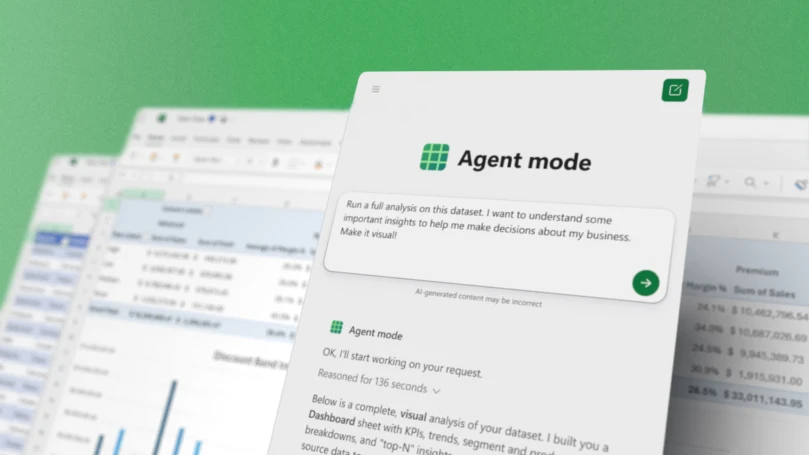
In a significant update to its productivity suite, Microsoft has introduced a new agent mode for Word and Excel, designed to empower knowledge workers through a process known as “vibe working.” This innovative feature, announced on September 30, 2025, leverages the power of OpenAI’s advanced GPT-5 large language model, marking a pivotal moment for users who seek more intuitive and efficient workflows.
What is Agent Mode?
The newly unveiled Agent Mode allows users to generate intricate Word documents and Excel spreadsheets using simple text prompts. Unlike traditional methods, this mode enables multistep processes where the AI actively engages in planning and validating outputs, aiming to enhance the overall quality of the final product.
Currently, Agent Mode is available only in the web versions of Word and Excel, with future plans to incorporate it into native desktop applications. This can distinguish it significantly from existing features in Microsoft 365.
Office Agent: A Companion Tool
In addition to Agent Mode, Microsoft has also announced the Office Agent for Copilot, which is driven by different AI models from Anthropic. This feature facilitates document generation within the Copilot AI assistant, targeting specific outputs for Word or PowerPoint presentations.
Although less sophisticated in its operational approach than Agent Mode, Office Agent promises to deliver notable improvements over previous iterations of the Copilot document-generation tools. User feedback had pointed out numerous issues with the past functionalities, which have been addressed through these updates.
The Concept of Vibe Working
Coined by Microsoft, the term “vibe working” draws parallels to the existing concept of “vibe coding.” In vibe coding, developers describe their desired application and utilize AI to generate relevant code. The iterative process allows them to refine outputs until they reach a satisfactory solution.
Vibe working operates similarly, where users articulate their needs for a document or spreadsheet, gradually reviewing and modifying AI-generated content. This method lowers the entry barrier for those less familiar with the intricacies of writing or computing.
Potential Risks and Considerations
While vibe working offers a user-friendly approach, it is crucial to remain cautious, especially when dealing with spreadsheets where inaccuracies can lead to significant financial repercussions. As observed by Microsoft, the AI’s performance still trails behind that of human operators, with current evaluations indicating a score of 57.2 percent for Copilot versus 71.3 percent for a human collaborator.
- Vibe working can enhance productivity by simplifying the document creation process.
- Despite its advantages, rigorous human oversight is advised to minimize mistakes.
- AI assistance is most effective for lower-stakes tasks, particularly when high precision is not critical.
Embracing AI-Driven Productivity
The introduction of these features exemplifies Microsoft’s ambition to lead in the AI productivity tools realm. As competition intensifies among various tech companies, including OpenAI, Microsoft’s innovations signify an effort to remain ahead by continually improving user experience and functionality.
Ultimately, understanding how to leverage these AI tools—like the new agent mode for Excel and Word—will be essential for users seeking efficiency in their professional tasks. By fostering an environment of creativity and practicality, Microsoft aims to reshape how we approach our daily workflows.
Conclusion
Microsoft’s integration of the agent mode for Word and Excel signals a transformative shift for knowledge workers. While there are risks associated with AI-generated content, careful implementation can lead to significant enhancements in productivity. As companies shift towards AI-assisted solutions, embracing these new tools could be key to future success.
FAQs
What is vibe working?
Vibe working refers to generating documents or spreadsheets using AI prompts, allowing users to create content iteratively while collaborating with the AI for refinement.
Is Agent Mode available on desktop applications?
At present, Agent Mode is only available in the web versions of Word and Excel, with plans for future integration into native desktop applications.
What are the risks of using AI-generated documents?
The primary risks include inaccuracies in content, especially in critical applications like spreadsheets. Human oversight is vital to mitigate these issues.
How does Office Agent differ from Agent Mode?
Office Agent is based on different AI models and primarily assists with document creation within the Copilot interface, whereas Agent Mode allows for more complex multistep tasks and validations.
Can inexperienced users benefit from vibe working?
Yes, vibe working reduces the knowledge barrier, enabling users without extensive training to create professional-quality documents and spreadsheets through guided AI interactions.